
HR Strategy
What Is an HR Ticketing System? Definition, Benefits, and Examples
Tired of losing track of employee requests? An HR ticketing system brings order to HR workflows. Discover its definition, top benefits, and examples to see why teams are making the switch.

Richa Thakur
Content Writer · 5 min read · · Updated
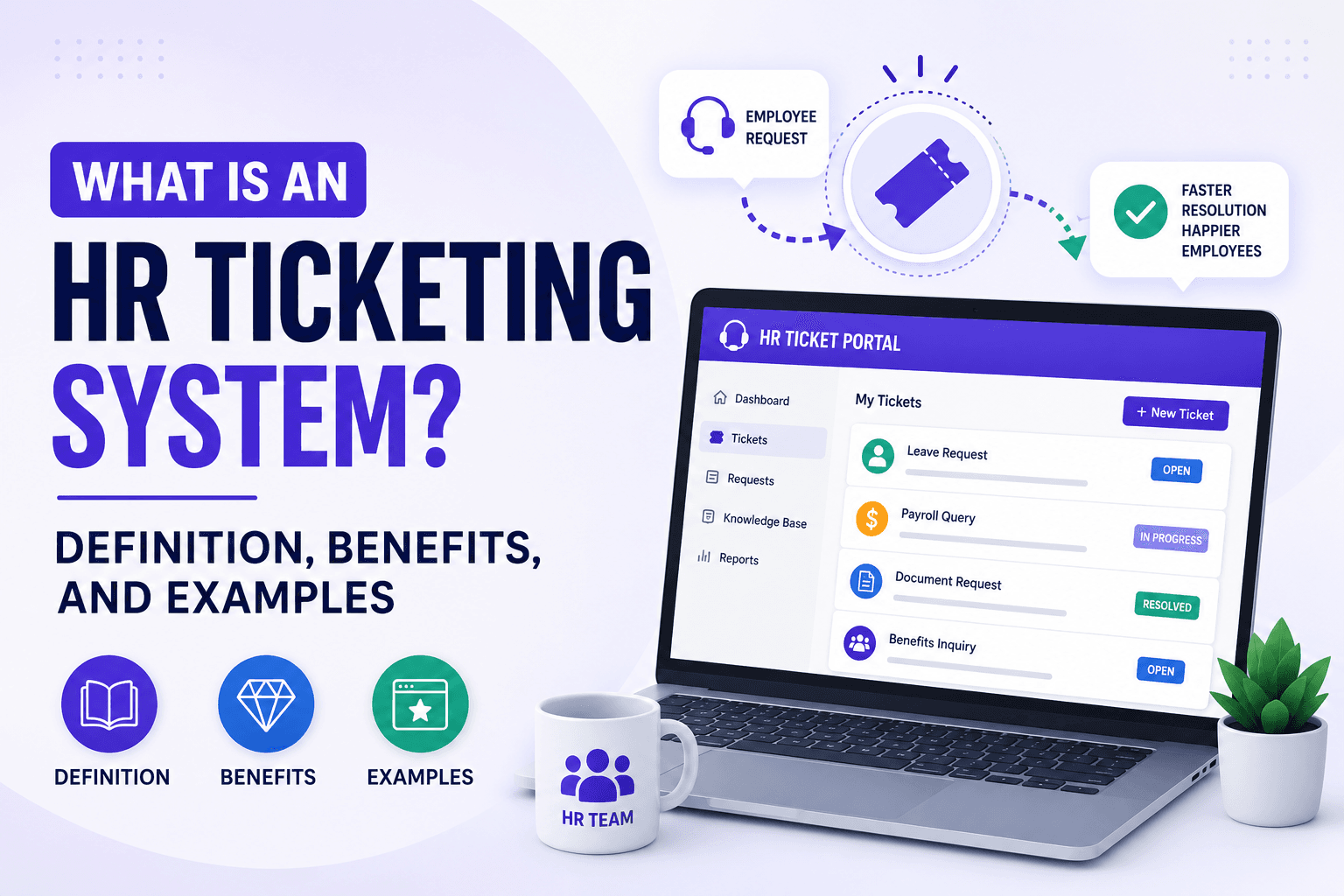
It’s 11:00 A.M and the last day for finalising payroll data. Meera is an HR executive in a startup-based company in New Delhi with 90 employees. She receives a message from four different platforms. It is the third time that an employee has asked about her leave balance within two months. Other employees are inquiring about final pay on the floor.
By lunchtime, she couldn’t fix the payroll errors. This is where an HR ticketing system comes in and handles the core HR operations across the organisation. This guide will highlight the essential details about the HR ticketing system, how it works, its importance for organisations, along with the benefits and the core features to look for in ticketing software.
What is an HR Ticketing System?
HR ticketing system is a dedicated modern software that captures, organises, and tracks employee requests. It includes several employee queries related to payroll, time-off requests, equipment issues, IT setup, resources, and attendance issues, all at a centralised place.
The software assigns a unique ID to every raised ticket by an employee and routes it to the assigned department or HR specialist automatically.
How does an HR Ticketing System Work?
A Ticketing system gathers all employee queries across different departments in a single place. It generally generates a unique ID and routes it to the HR leaders, finance team, IT team, or sales manager based on the query raised. The system tracks every step and updates the process over time with real-time data.
The workflow automation typically follows a step-by-step process:
Ticket Creation
Employees submit their requests through the different channels, including self-service portals, WhatsApp, email, or Slack. The integrated system automatically generates a unique ticket number with the employee queries and profile information.
Categorisation and Routing
With the help of AI automation, the system classifies the issue and instantly categorises it for a specific department. Payroll issues to the HR or finance team, technical issues to the IT department, and targeting and pending payments to the sales team.
Resolution and Collaboration
The assigned HR handles the raised ticket. They create internal ticket notes in the other departments if necessary. Employees can log in and track the ticket status anytime.
Knowledge Base Integration
Most companies have an internal self-service portal where employees can look up the company policies, FAQs, videos, and articles to resolve the issue before submitting a ticket.
Closure and Feedback
Once the ticket is resolved, the system automatically updates about the resolved ticket and prompts the employees to leave feedback for improvements and modifications.
Why Do Companies Need HR Ticketing Software?
Companies need a ticketing system to reduce administrative tasks, processes, prioritise, and manage customer issues. A Southern California healthcare network, Hoag Health, has modernised its core HR operations by replacing the fragmented Microsoft Outlook process with an HR ticketing system. This centralised system has decreased HR ticket resolution times by over 86%, while employee satisfaction increased from 86% to 97%.
An internal ticketing system helps organisations in the following ways:
Eliminates the process of finding issues from multiple platforms such as email and Slack messages. Every inquiry is created with a unique number and tracked over time from submission to resolution.
Uses a pre-defined AI automation to reduce the manual tracking and routing. The raised query is categorised and assigned to the suitable department.
Allows the companies to create a knowledge base where they can upload guide videos, tutorials, FAQs, and articles to resolve issues before waiting for the HR responses.
Securesemployees's sensitive data, including medical accomodations through a controlled role-based permissions.
Helps HR leaders to identify the bottlenecks in the process by tracking the KPIs (Key Performance Indicators) like the average time to provide resolutions.
What are the Benefits of an HR Ticketing Software?
There was a time when employee queries and HR support were handled through scattered emails, Google Chats, and calls. It only created complications, challenges, and dissatisfaction among the employees. But over time, the HR ticketing system manages employee requests, where every request is tracked, documented, and resolved with complete transparency.
Centralised Requests
Consolidates requests from different platforms related to payroll, PTO, and grievances into a single platform. It reduces the risk of data duplication and manual inputting.
Time-saving Automation
The system automatically creates a ticket number for every raised ticket and routes it automatically to the assigned department based on the urgency.
Self-service Capabilities
The ticketing system provides an employee self-service portal to access their profile details and raise a ticket independently without HR intervention.
Valuable Resources
Companies build a knowledge base integration system for employees to utilise videos, guides, articles, case studies, and FAQs for their existing queries without raising a ticket.
If an issue remains unresolved, they can raise a ticket, track it, and provide feedback for the whole process from ticket creation to resolution.
Data-Driven Improvements
The software is built to provide reporting and analytics over time. It stores the data, history logs, with a complete employee profile, ticket issue, date of ticket creation, and resolution time.
The system tracks the resolution time and reviews the key performance indicators, pain points, and adjusts processes.
Data security with role-based permission
It protects the employee data with limited visibility and role-based permission. The admin or HR department can restrict visibility based on the employees' hierarchy.
What Features to Look for in an HR Ticketing Software?
While selecting an internal HR ticketing software for your business, you need to discover the features appropriately. Depending on the client testimonials, the pricing factor often creates a hindrance in the support process.
Employee self-service portals & Knowledge Base
Look for the feature that offers an ESS portal for accessing ticket status, and submit feedback from their end.
Allows the employees to request and access a digital library including guides, FAQs, and video tutorials.
To overcome the repetitive questions and issues, ensure to utilise these valuable resources efficiently.
HRIS Integration
The system should be capable of integrating with HR systems, including payroll and attendance.
It should maintain employee records across different platforms at a unified base.
Apart from payroll integration, the system must ensure that the data syncs with communication platforms such as Slack, Microsoft Teams, WhatsApp, and Email.
Role-Based Permission & SLA
Ensure that the software comprises permission-based access for individuals.
To protect the employee data, admins and HR specialists can restrict the feature for team members.
If the ticket is pending, the system must send alerts and notifications to managers and the dedicated department.
Automated set counts and proactive alerts for response time to ensure critical requests like onboarding and payroll issues are resolved quickly.
Multi-Channel Accessibility
Let the employees raise tickets through multiple channels such as WhatsApp, Slack, or Email.
The software should be navigable on mobile platforms, including Android and iOS.
The user interface should be visually appealing and easy to use, rather than complicated displays.
Reporting and Analytics
It provides HR leaders with analytics and metrics such as average resolution time, volume trends, and employee satisfaction score.
Through metrics, the HR leaders can identify the main issue in the resolution process.
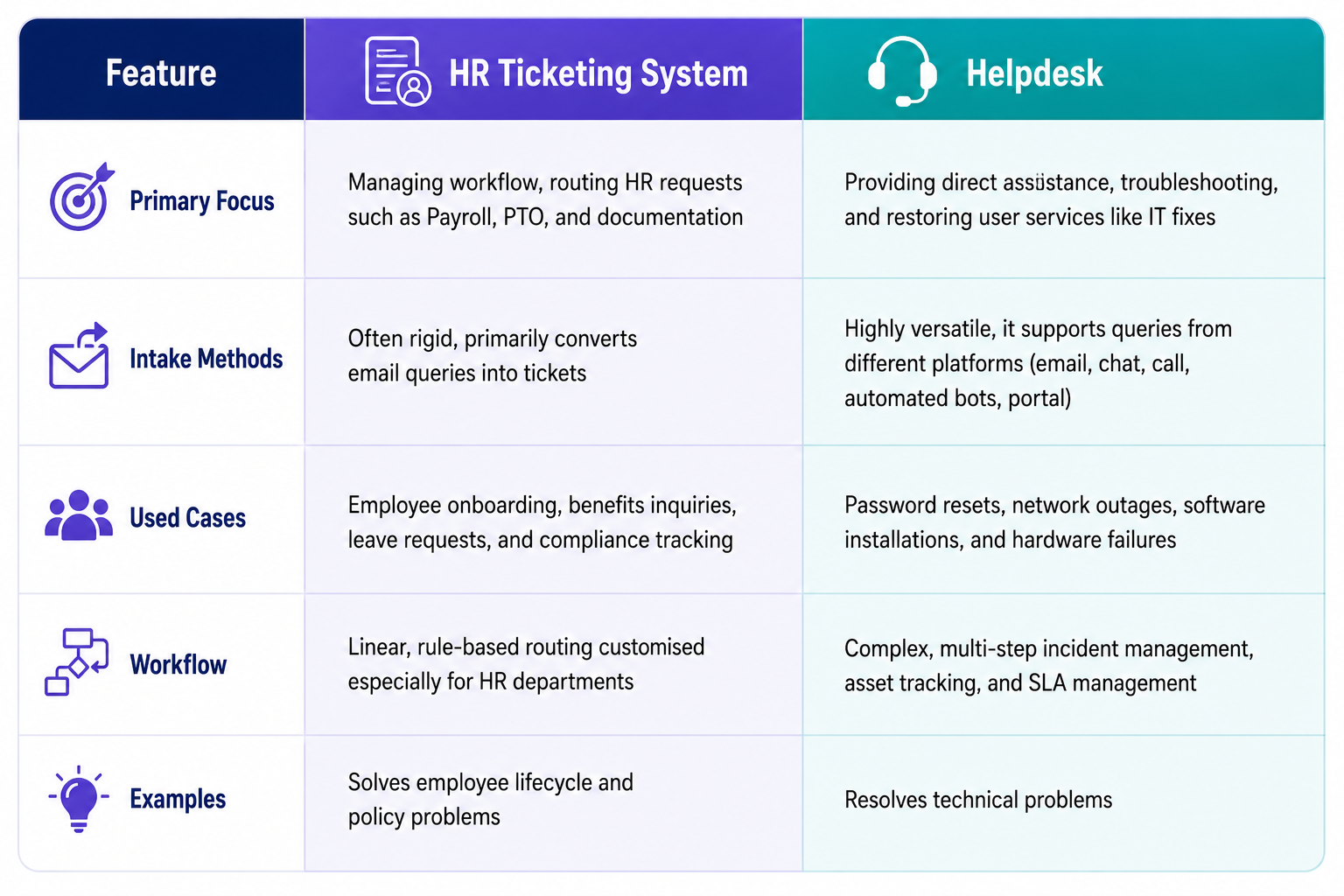
HR Ticketing System vs Help Desk: A Core Difference
The core difference lies in function and its scope. An HR ticketing system is designed to log, track, and assign employee requests. Whereas, helpdesk is a complete support system that regulates direct communication, troubleshooting, and holistic resolutions.
How Does an HR Ticketing System Improve Employee Experience?
We have covered how an HR ticketing system benefits the organisations in their supporting system and HR departments by reducing administrative tasks. HR ticketing system improves the employee experience by offering complete transparency and reduced response time.
Generally, it replaces the chaotic emails, spreadsheets, and inbox messages with an organised and trackable ticket. With the help of the ticketing system, the employees can easily raise, track, and update the ticket status.
The software helps the organisations to enhance the daily workplace operations:
Real-time Transparency: Employees can review their ticket status without repeated follow-ups and HR dependency.
Faster Resolution: Automated ticket routing ensures a raised ticket is instantly routed to the dedicated department to process.
Multi-channel Access: Modern platforms integrate directly with daily communication tools like Slack and Microsoft Teams. It removes the dependency on raising tickets through portals.
No Manual Data Entry: The system automatically records all the raised queries with time stamps and historical logs.
Employee Self Service Access: Instead of waiting for HR responses, the system consists of valuable resources, including FAQs, case studies, and how-to guides, to provide knowledge before creating a ticket.
Final Thoughts
HR ticketing system helps organisations to manage employee requests in a structured and transparent approach. By converting the queries into a ticket, the software improves response time, accountability, and overall employee support.
An HR ticketing system is not just a software purchase; it is a strategic investment. It reduces operational costs by automating repetitive tasks, accelerates resolution times to keep employees productive, provides the analytics needed to fix broken policies, and secures sensitive data against compliance risks. In short, it makes HR faster, smarter, and infinitely more human.
Are you ready to change your organisational workflow? Then stop wasting hours tracking employee queries on email, chats, or calls. Human Maximizer brings everything to a centralised platform.
With Human Maximizer, employees can raise a ticket with a priority level. Raise, route, and resolve tickets within minutes without any bottlenecks. To get more details about Human Maximizer, schedule a demo today.
Frequently Asked Questions
How to set up HR ticketing software?
You can set up HR ticketing software by defining your workflows, configuring automated routing rules, integrating with the existing systems, and providing proper training to the team members. A structured setup ensures a smooth workflow by eliminating scattered emails and chats.
Which is the best HR ticketing system?
Zendesk, ServiceNow, and Human Maximizer are the best HR ticketing systems for businesses. However, before selecting the software, make sure to outline the core business requirements, company size, compliance needs, and existing software.
Do small businesses need HR ticketing software?
Yes, a business operating on a small scale can implement HR ticketing software within its organisation to handle repetitive questions, reducing manual and administrative tasks.
Keep reading
HR Strategy
Internal Ticketing Systems for Indian Companies: A Complete Guide
What an internal ticketing system is, how it works, key features, and how Indian companies choose the right help desk software. A complete guide.
5 min read
HR Strategy
How to Set Up an HR Ticketing System in Under 7 Days
Tired of scattered HR requests? Here's the day-by-day playbook to launch an HR ticketing system in 7 days, built for Indian SMEs and growing startups.
5 min read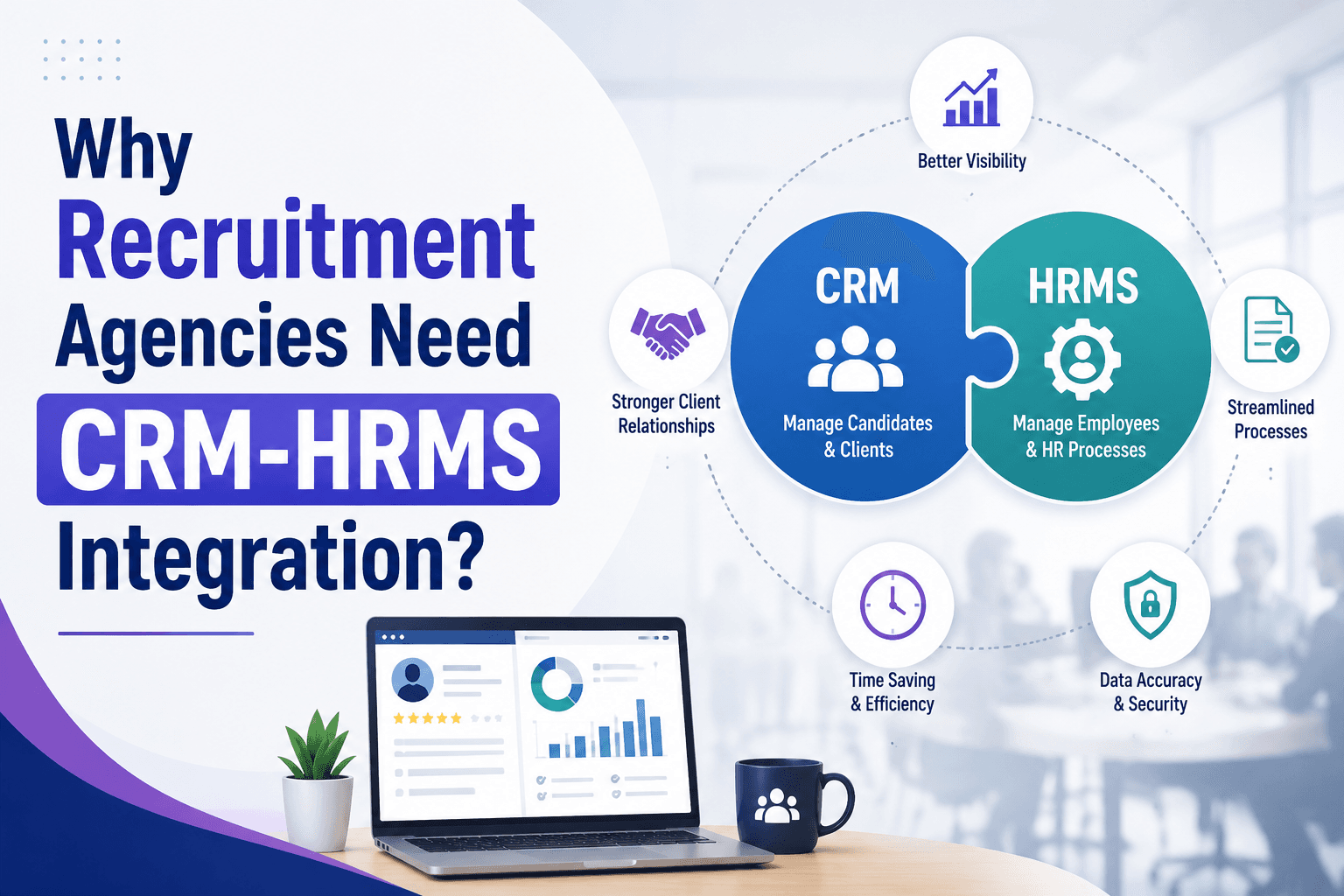
HR Strategy
Why Recruitment Agencies Need CRM-HRMS Integration?
Recruiters lose hours re-entering candidate data from CRM to HRMS. Here's why recruitment agencies need CRM-HRMS integration, and what it costs to skip it.
5 min read