
HR Strategy
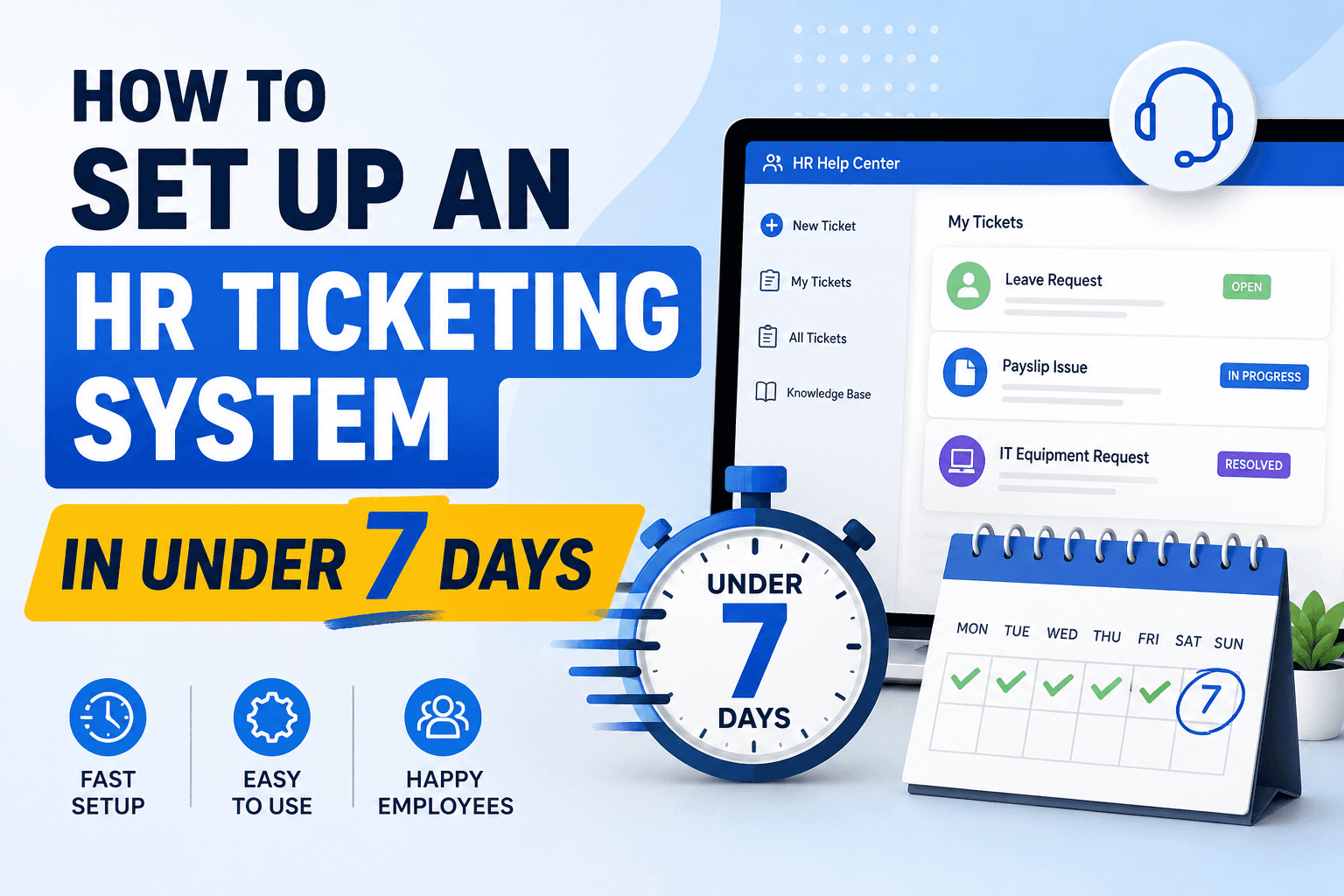
How to Set Up an HR Ticketing System in Under 7 Days
Tired of scattered HR requests? Here's the day-by-day playbook to launch an HR ticketing system in 7 days, built for Indian SMEs and growing startups.

Richa Thakur
Content Writer · 5 min read · · Updated
The growing modern workforce increases pressure on the human resources department to streamline operational workflows, manage employee requests, ensure compliance, and promote employee engagement. If your team is still relying on a shared inbox, WhatsApp, and Slack DMs for resolution, it needs to be replaced with a modern HR ticketing system.
A poor HR experience is no longer a soft cost. According to SHRM's report, The Case for Employee Experience, employees with a positive workplace experience are 68% less likely to consider leaving their jobs, and the helpdesk is the single most visible touchpoint employees have with HR every month.
Whether you're an HR professional or a business leader looking to improve your internal communication process and enhance employee satisfaction, set up a ticketing system within your organisation, HR ticketing software not only resolves internal issues but also helps in making informed decisions to take your business to the next level.
The good news is that you don't need a 12-week enterprise rollout to fix this. For most Indian SMEs and growing startups, a focused, cloud-based HR ticketing system can go live in seven working days.
This guide will cover all the significant details:
What is a ticketing system and how does it help organisations?
Key features of the ticketing system
How is it different from conventional ways?
The 7-day implementation playbook for Indian SMEs
When you actually need more than 7 days
FAQs around cost, categories, and onboarding
What is an HR ticketing system?
An HR ticketing system is a centralised digital platform used for raising, assigning, and resolving employees' specific requests and queries. It replaces the traditional ways, such as email, scattered sheets, and WhatsApp, with a structured ticketing process. Every employee request becomes an individual ticket that can be assigned, prioritised, tracked, and resolved securely from start to finish.
It serves as both an employee helpdesk and a workflow engine for HR.
Let’s take an example to understand the concept in detail:
An employee, Priya, applies for parental leave. The HR ticketing software automatically creates ticket #309 and routes it to the benefits team for review, while sending her an auto-confirmation. The benefit specialist reviews, approves, and updates the system to resolve the ticket within 4 hours, with the full audit trail captured automatically.
Why is the shared inbox not enough for HR?
In the modern workforce, where the demand for operational workflows grows, a basic shared inbox fails to support HR in resolving internal queries. It lacks a structured and automated process to manage sensitive, multi-step, and legally compliant employee requests.
Let's take an example to understand why shared inboxes are no longer supporting HR leaders:
An employee, Sarah, notices an error in her monthly salary because the overtime wages for the previous month are not compensated. She sends an email to the HR representative to review her salary calculation. The email gets lost in a shared inbox where three people assume someone else will pick it up. Sarah follows up twice. Meanwhile, the HR team is busy scheduling interviews and onboarding new hires, which delays the response further. Total resolution time stretches to nine days.
But when Sarah submits the same issue through the company HR portal and raises a query under payroll issues:
The system automatically assigns her a specific ticket number
Routes the ticket to the payroll specialist based on relevant skills and availability
Sarah receives an auto-confirmation with the expected response time
The specialist logs every action, checks timesheets, calculates adjustments, corrects the wages, and updates the ticket with a resolved status
This way, the system tracked the issue, prioritised it, and resolved it within a day rather than taking over a week. The shared inbox, by comparison, takes far longer to discover the issue, assign ownership, and close the loop.
What are the features of an HR ticketing system?
If you want to understand how the HR ticketing system streamlines daily HR operations and what exactly makes it different from shared communication platforms, then you need to explore the key features that transform scattered emails and spreadsheets into a centralised, efficient, and trackable support system.
Employee Self-Service Portal: A knowledge base where employees can view FAQs, search for certain policies, and submit requests.
Automated Ticket Routing: The system automatically assigns the upcoming tickets to the correct HR specialist based on the urgency and department.
Ticket Tracking Management: It enables employees to view, track status updates, and HR teams to prioritise workload.
Security and Privacy: Configurable access controls that ensure HR and employees' sensitive data, such as payroll, is only visible to authorised personnel.
Mobile App for Remote and Field Employees: A mobile-first ticketing experience so that hybrid, remote, and field employees can raise and track tickets without needing a desktop.
Reporting and Analytics: Dashboards that track performance metrics to identify trends, improve efficiency, and measure HR service delivery.
What is the difference between HR ticketing and a shared inbox?
A shared inbox is just an email with multiple viewers, whereas an HR ticketing system adds automation, SLA tracking, reporting, and self-service portals to resolve issues faster. Go through the table mentioned below:
Parameter
HR Ticketing System
Shared Inbox
Primary Purpose
Track, prioritise, and resolve employee requests systematically
Centralise team access to incoming emails
Ticket Assignment
Auto-assigns tickets based on rules (category, workload)
Manual assignment by team members
Response Time
SLA-based auto-escalation and reminders
No automated time tracking
Reporting and Analytics
Built-in reports on volume, resolution time, and satisfaction
Minimal or no analytics
Employee Self-Service
Integrated portal and knowledge base for instant answers
Not available
Audit Trail and Compliance
Complete history of every action and status change, important for POSH, DPDP, and statutory audits
Limited to email threads
Automation
Auto-categorisation, routing, responses, and follow-ups
No automation beyond basic email rules
Best For
Growing companies with 50+ employees and recurring HR queries
Small teams with low email volume
Scalability
High handles hundreds of tickets daily
Low becomes chaotic beyond 2 or 3 users
Cost
Subscription-based, ₹2,495 to ₹9,999 per month for SMB tiers in India
Often included with email hosting
How to set up an HR ticketing system in 7 days
Is your team drowning in scattered emails and lost messages? Set up an HR ticketing software to automate assignments, track resolutions, and deliver instant solutions for employee requests. Follow this 7-day playbook for HR ticketing system implementation in India.
This timeline works for teams of 50 to 500 employees using a modern, cloud-based HR ticketing tool, with an HR owner who can spend roughly half their time on the rollout during the week.
Day 1: Audit and Plan Your Needs
Before implementation, assess the core HR challenges and your current internal communication process.
Pull the last 90 days of HR-related messages from your shared inbox, WhatsApp groups, and Slack DMs.
Categorise them into payroll, leave, attendance, reimbursements, onboarding, exit, IT and asset, grievances, POSH, and statutory.
Count the volume in each category and the average time taken to resolve.
Identify your top 5 categories. These will drive 80% of your ticket workflow.
By the end of Day 1, you should have a one-page document listing your categories, current resolution times, and the top three pain points you want the new system to fix.
Day 2: Choose the Right HR Ticketing Software
After assessing your business requirements, the critical step is selecting the right ticketing software.
Communicate with multiple vendors to explore the HR ticketing software in the market.
Compare the pricing plan, features, and unique capabilities of each.
Ask each vendor to demonstrate how their system handles your actual top 5 categories from Day 1, not generic feature walkthroughs.
Check for India-specific workflows like POSH handling, statutory document tracking, DPDP-aligned data controls, and mobile access for remote employees.
By the end of Day 2, sign with one vendor or start the trial.
Day 3: Set Up Categories and SLAs
Once you select the software, set it to function with your existing HR processes.
Configure your top 5 ticket categories from Day 1, with sub-categories where useful.
Define priority levels (Low, Medium, High, Critical) with clear criteria for each.
Set SLA targets per category and priority. Be realistic, not aspirational.
Create email templates and auto-responses for confirmation, status update, and resolution.
This is the single most important configuration step. Your categories drive routing, SLAs, and every report you'll pull from the system later.
Day 4: Build Your Routing Rules and Team Access
Map your organisational workflow into the system.
Add your HR team members with role-based permissions. Payroll specialists see payroll tickets, HRBPs see their assigned departments, and the HR head sees everything.
Configure auto-assignment rules by category, department, round-robin, or workload.
Set escalation rules. If a ticket isn't acknowledged in X hours or resolved in Y hours, the HR head gets notified.
Configure sensitive categories like POSH with restricted visibility so only the Internal Committee members can see those tickets.
Day 5: Integrations and Knowledge Base
If you have important details on multiple platforms, connect your new HR ticketing system using pre-built integrations.
Integrate with your HRMS or payroll software so the ticketing tool can pull employee details, department, and reporting manager automatically.
Connect SSO if you use Google Workspace or Microsoft 365.
Write 15 to 25 knowledge base articles covering your most common queries. How to apply for leave, how to read your payslip, how to claim reimbursements, when bonuses are paid, the POSH reporting process, and IT support contact.
A good knowledge base will resolve 20 to 30% of incoming queries without ever creating a ticket.
Day 6: Pilot with One Department
Conduct a pilot run to identify issues and resolve them before deployment.
Pick a single department, usually the one most comfortable with new tools.
Brief them in a 15-minute walkthrough.
Have them raise real tickets that they would normally have sent on Slack or email.
Watch where the system breaks. Misrouted tickets, unclear categories, missing knowledge base articles, SLA targets that turned out to be unrealistic.
Fix the issues the same evening.
Day 7: Company-wide Launch
Make continuous improvements through analytics by tracking performance metrics and real-time insights.
Send a launch email and Slack or Teams announcement explaining what the system is, how to access it, and what to use it for.
Mention the knowledge base prominently. Employees should check it first.
Set a hard date to retire the old shared inbox, ideally 14 days after launch, so people have time to transition.
Schedule a 30-day review to look at ticket volume, resolution times, and which categories need refinement.
By the end of Day 7, you have a live, monitored, fully routed HR ticketing system with employees actively using it.
When are 7 days not enough?
The 7-day playbook works for most Indian SMEs and growing startups. You'll need a longer timeline if:
You are migrating more than 5,000 historical tickets or years of email archives into the new system. Add 1 to 2 weeks for data migration and cleanup.
You are at enterprise scale with 1,000+ employees, multiple legal entities, complex approval chains, or 10+ HRBPs across regions. Add 2 to 4 weeks.
Your HRMS or payroll system needs a custom integration rather than a pre-built connector. Add 1 to 3 weeks depending on API quality.
You are handling unionised workforce processes or industry-specific compliance, such as manufacturing or BFSI, that require legal review of every workflow.
In those cases, plan for a 4 to 12 week implementation. For everyone else, seven days is enough.
Common pitfalls to avoid
Even with the right software, a few mistakes can slow you down.
Over-categorising on Day 3:Twelve top-level categories sound thorough, but it is actually unusable. Start with 5 and add more after 30 days based on what employees actually raise.
Setting SLAs you cannot hit: A 1-hour SLA on payroll queries that genuinely need 4 hours of work just trains your team to ignore the SLA. Be honest with your targets.
Treating POSH as a normal category: POSH cases require restricted access, a separate workflow, and Internal Committee involvement under the 2013 Act. Your ticketing system should support the IC's process and provide an audit trail. It does not replace the IC or guarantee statutory compliance on its own.
Skipping the knowledge base: Teams that skip Day 5 see ticket volume stay high and HR exhaustion stay constant. The knowledge base is what makes the system feel like an upgrade rather than a more annoying inbox.
Killing the shared inbox on Day 7: Give people two weeks to transition. Auto-respond from the old inbox with a link to the new portal.
Final Thoughts
HR ticketing systems are business intelligence platforms rather than just a request management tool. Setting up an HR ticketing system can transform the way you manage employee queries. The system creates a ticket and routes it to the assigned department or individual based on the priority level.
It reshapes employee queries into strategic workforce planning by spotting trends, predicting needs, and solving problems early. When you implement the system systematically, it shifts human resources from reactive support to a proactive strategic partnership by enabling employee engagement and satisfaction at the top.
If you're still managing employee queries across WhatsApp, email, Slack, or Microsoft, then streamline the complete process into a centralised platform with Human Maximizer.
Human Maximizer is especially designed for SMBs and growing enterprises. We turn employees' queries into quick solutions. Whether your salary questions or leave doubts are scattered across emails and buried in chats, Human Maximizer can help you raise structured tickets, auto-assign every ticket to the right team member, and provide real-time status and metrics through the self-service portal.
For sensitive cases like POSH, Human Maximizer provides a restricted workflow with role-based access and a complete audit trail, so your Internal Committee can run its process with full confidentiality and the documentation it needs for statutory compliance.
Request a demo with Human Maximizer and see how every ticket is tracked, assigned, and resolved with full visibility.
Frequently Asked Questions
How to onboard employees to a ticketing system?
You can onboard employees to a ticketing system by setting up their access through SSO or directory sync and providing the necessary training to adopt the HR ticketing software. Create user accounts, integrate with your existing directory, and run a 15-minute walkthrough per team covering how to raise a ticket, check status, and search the knowledge base.
What are HR ticket categories?
HR ticket categories are pre-defined classifications used in the employee support system to raise, assign, track, and resolve internal workplace queries. They help in directly identifying the issue and routing it to the relevant department or individual. The most common categories for Indian SMEs are payroll, leave and attendance, reimbursements, onboarding and exit, IT and asset requests, statutory documents like Form 16 and PF, grievances, and POSH.
How much does HR ticketing software cost in India?
The cost of HR ticketing software in India usually ranges from ₹2,495 to ₹9,999 per month for SMB tiers. The actual cost depends on team size, monthly subscription, and pricing model. Per-employee pricing usually runs ₹50 to ₹150 per employee per month. Most established Indian HR tools sit within this range for the 50 to 250 employee tier, though the configured price depends on which modules you actually switch on. Always verify with the vendor based on your specific headcount.
Can you set up an HR ticketing system in a week?
Yes, you can set up an HR ticketing system in a week if you are using a modern, cloud-based platform with pre-built templates and your team is between 50 and 500 employees. The 7-day implementation in this guide is realistic when you have an HR owner with half-time availability, and you are not migrating large historical archives. Enterprise rollouts with custom integrations or multi-entity setups take 4 to 12 weeks.
How to choose an HR ticketing system?
You can choose an HR ticketing system by balancing employee self-service tools with back-end automation for your HR team. The key steps include defining your support requirements, evaluating software based on ease of use, checking Indian compliance fit such as POSH, DPDP, and statutory document tracking, and ensuring smooth integration with your existing HR and payroll systems.
Is HR ticketing software worth it for small businesses?
Yes, growing organisations can benefit from HR ticketing software. If your HR team spends excessive time responding to employee queries or managing emails and messages, then implementing the software is a significant step in strategic workforce planning. The break-even point is usually obvious. When your HR team starts saying "I missed that, can you resend?" more than once a week, you are past the point where a shared inbox can keep up.
Free vs paid HR ticketing software, which is better?
Free tools work for a pilot or for very small teams. They usually lack the SLA tracking, role-based access, audit trails, and India-specific compliance workflows that matter once you cross 50 employees. The bigger risk with free tools is rarely the missing features. It is the missing access controls around sensitive data like payroll and POSH. For anything beyond a trial, paid is the realistic choice.
Keep reading
HR Strategy
Internal Ticketing Systems for Indian Companies: A Complete Guide
What an internal ticketing system is, how it works, key features, and how Indian companies choose the right help desk software. A complete guide.
5 min read
HR Strategy
What Is an HR Ticketing System? Definition, Benefits, and Examples
Tired of losing track of employee requests? An HR ticketing system brings order to HR workflows. Discover its definition, top benefits, and examples to see why teams are making the switch.
5 min read
HR Strategy
Leave Analytics: The 6 Signals That Predict Attrition
Leave patterns predict attrition 60 to 90 days before a resignation. Here are the 6 signals every Indian HR team should track using leave analytics in 2026.
5 min read