
Employee Engagement
Employee Database Management: Why Spreadsheets Are Hurting Your HR (2026)
Still managing your employee database on spreadsheets? Discover how spreadsheet errors are hurting your HR operations and why Human Maximizer HRMS is the smarter way to handle employee onboarding, offboarding, and data management.

Richa Thakur
Content Writer · 5 min read · · Updated
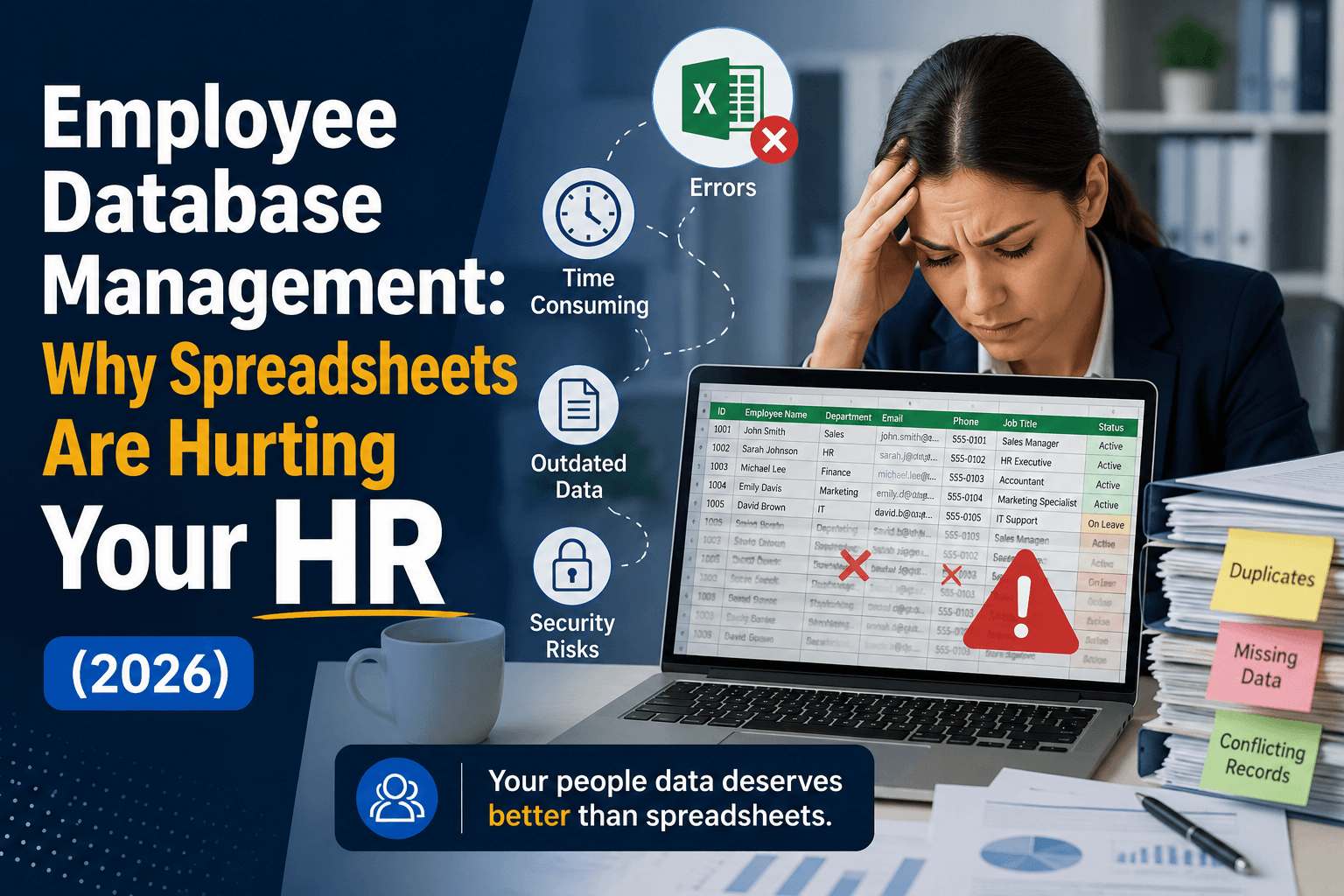
It’s a Friday afternoon, and your HR manager is staring at three different versions of the same employee spreadsheet, trying to figure out which one has the correct salary data before payroll runs in two hours. One wrong number, one outdated file, and 50 employees get the wrong paycheck.
This is not a one-off situation. This is what happens every single week in companies that are still managing their employee database on spreadsheets. For years, spreadsheets felt like the obvious choice. They were free, familiar, and flexible enough to get the job done. But as the team grows, HR responsibilities multiply, and data becomes more sensitive, and that same spreadsheet that once felt convenient starts becoming your biggest operational risk.
Today, HR teams are expected to do far more than store names and salaries. They manage onboarding, compliance records, performance history, attendance, payroll inputs, and offboarding, all at the same time. Handling all of that inside a spreadsheet does not just slow your team down, but it quietly creates errors, security gaps, and compliance blind spots that most businesses only notice when something has already gone wrong.
The scale of the problem is easy to underestimate. Deloitte's research found HR teams spend roughly 57% of their time on administrative tasks like payroll processing, leave management, and compliance reporting. For a lean Indian HR team, that is more than half the week lost to work that a database could handle on its own.
This is exactly why more HR leaders in 2026 are moving away from spreadsheets and towards dedicated employee database management, one that centralises data, automates routine tasks, and gives every authorised person the right information at the right time.
In this article, we break down why spreadsheets are no longer built for modern HR, what an employee database actually does differently, and how to know when your team has outgrown Excel for good.
What is Employee Database Management?
Employee information management is a centralised, digital system that organises and manages a company’s workforce information. It acts as a single source of truth for HR professionals and management to securely store critical personal details such as contact information, job history, payroll benefits, and performance reviews.
An employee database typically categorizes workforce data into several key areas:
Personal Information: Name, address, DOB, and emergency contacts.
Employment Details: Job title, department, hire date, employment status, and reporting structure.
Compensation & Benefits: Salary history, bonuses, tax details, and health insurance enrollment.
Professional Development: Training records, certifications, and past performance evaluations.
Why is Employee Data Management Important?
In any organisation, employee data is the backbone of every HR operation, and managing it poorly puts your entire organisation at risk. Employee data management is important because:
Compliance and Legal Safety: Proper management ensures you meet labor laws, tax regulations, and data privacy rules, including the DPDP Act 2023, and reduces legal risks. In India, the stakes are concrete. A delayed PF deposit triggered by a missed or incorrect spreadsheet entry attracts 12% per annum interest under Section 7Q plus damages under Section 14B, with criminal prosecution and imprisonment of up to three years for deliberate default. A spreadsheet does not flag a missed deadline. A database does.
Payroll Accuracy: It provides correct, up-to-date data, prevents payroll errors, late payments, and employee dissatisfaction.
Informed Decision-Making: Clean, centralised data lets leaders analyse headcount, turnover, performance, and diversity trends, driving strategic HR and business moves.
Operational Efficiency: It automates data entry and updates, saves hours of manual work, reduces duplication, and minimises errors.
Employee Experience: Employees can easily view and update their information, access pay stubs, or request time off, and trust and improve satisfaction.
Security and Privacy: Organised data access controls prevent breaches, identity theft, or unauthorised exposure of sensitive personal information.
7 Ways Spreadsheets Are Silently Hurting Your HR Operations
Relying on spreadsheets for human resources quickly leads to a phenomenon known as “spreadsheet hell”. Manual entry errors, version control chaos, and compliance risks make spreadsheets unscalable as teams grow. Transitioning to a dedicated HRIS or HRMS centralises operations, automates workflows, and mitigates these common pitfalls.
Data Errors That Slip Through Without Anyone Noticing
Manual data entry leaves HR teams vulnerable to typos, miscalculations, and overwrites. A single broken formula or missed copy-paste can result in incorrect leave balance or massive payroll discrepancies.
HRIS platforms use automated data validation and direct integrations, which minimise manual entry and keep calculations consistent and accurate without manual upkeep.
No Real-Time Access Slows Every HR Decision
Spreadsheets rely on static data entry. Valuable information, such as pending time-off requests or performance reviews, cannot be accessed instantly by stakeholders.
Cloud-based HR software offers a single source of truth, which provides managers and employees with real-time, self-service portals.
Version Control Chaos When Multiple People Edit the Same File
When multiple team members download, edit, and email different versions of the same spreadsheet, determining which file is correct becomes nearly impossible.
A centralised HR system allows multiple authorised users to work from the same live database, eliminating the file issues.
Zero Role-Based Access
Storing sensitive employee data on a shared drive or unsecured laptop means anyone with the link or file access can see private information like salaries, medical details, and performance reviews.
Dedicated HR platforms feature strict, role-based permissions so that employees, managers, and HR staff can view and edit the data relevant to their specific roles.
Spreadsheets Cannot Scale as Your Workforce Grows.
As a workforce expands, large spreadsheets suffer from sluggish performance, slow down filter execution, and increase errors.
Enterprise HR software is designed to scale dynamically and can handle hundreds or thousands of employee profiles effortlessly as your business grows.
Poor Audit Trails Make Compliance a Nightmare
Labour laws, tax regulations, and data privacy policies change frequently. Spreadsheets can't automatically log who modified a specific cell or when, nor can they automatically keep up with changing statutory requirements.
Modern systems include automated audit logs that track every change and make compliance and annual audits stress-free.
Security Gaps That Put Sensitive Employee Data at Risk
Personal employee information stored on local devices or basic spreadsheets is highly vulnerable to data theft and accidental leakage.
An HRIS provides enterprise-grade security, including encrypted data storage, multi-factor authentication and automated compliance with data privacy regulations.
What an Employee Database Actually Does That Spreadsheets Cannot?
An employee database is a centralised, secure digital system that comprehensively manages workforce information. Unlike static, fragmented spreadsheets, it serves as a single source of truth, automates routine HR workflows, enforces granular security roles and delivers instant, real-time analytics without the need for manual file consolidation.
The fundamental differences that give modern database platforms the edge over traditional spreadsheets like Excel or Google Sheets include:
Centralised Records, One Source of Truth for All Employee Data
A database stores every piece of employee information, personal details, job history, compensation, benefits, emergency contacts, documents, and performance records in one secure, unified system.
Every update happens in real-time from a single interface. When HR changes a manager’s approval limit, or an employee updates their bank details, that change reflects everywhere instantly.
Why it matters:
One source of truth means zero reconciliation. Decision-makers trust the data they see. Audits become simple instead of complicated.
Automated Workflows That Replace Hours of Manual Work
Database management automates conditional actions. When a new employee record is created, the system can automatically:
Generate an offer letter
Assign training modules
Create IT system accounts
Add the employee to payroll
Notify the manager and team
Initiate an equipment request
When a termination date is entered, the system can revoke access, stop accruals, and schedule exit checklists, all without anyone touching another spreadsheet cell.
Why does it matter?
HR stops being a manual data entry centre and becomes a strategic function. Routine tasks run in minutes instead of days.
Role-Based Access That Keeps Sensitive Data Where It Belongs
A database enforces row-level and field-level security. For example:
An employee sees only their own information
A team lead sees direct reports' performance data but not salaries
A department head sees salaries but not bank account numbers
HR sees everything from a single platform
Finance sees compensation but not medical leave details
Payroll sees bank details but not performance reviews
Permissions are granular, auditable, and enforced by the system, not by hoping colleagues follow the rules.
Why does it matter?
Sensitive data stays contained. Compliance with the DPDP Act and standards like SOC 2 becomes manageable. Employees trust that their personal information is protected.
Real-Time Reporting Without Combining Five Different Files
A database provides live dashboards, which are real-time reports that query across all data points instantly. Need turnover rate by manager? You need to just click or filter through the date and ID. The reports show what is true right now, not what was true yesterday after someone saved a file.
Many employee databases also schedule reports and custom alerts, such as notifying me when any department exceeds 110% of budgeted headcount, and drill-down capabilities that spreadsheets can’t match.
Why does it matter?
Leadership stops waiting for updated spreadsheets and starts making decisions on current, accurate data. HR shifts from reporting on the past to predicting future trends.
The Spreadsheet Breakpoint Test: 4 Signs Your HR Team Has Outgrown Spreadsheets
We call these the four breakpoints. Hit one, and you can still cope. Hit two or more at the same time, and your spreadsheet has stopped being a tool and started being a liability. Here is how to score yourself.
Breakpoint 1: Your Team Spends More Time Fixing Data Than Using It
When your team’s energy goes into data cleanup instead of strategic work, you’re losing far more than time. You’re losing the ability to trust your own numbers. And when HR can’t trust its data, no one else in the organisation can either.
This is not a small leak. One 2026 analysis put the cost of a single manual HR data entry at roughly ₹400, with some entries running far higher. Multiply that across a growing headcount, and the "free" spreadsheet quietly becomes one of your most expensive tools.
What this looks like in real life:
Someone accidentally sorts only one column, and suddenly employee IDs no longer match names.
Duplicate records appear because the same person was entered as “Rahul Sharma," "Rahul S.," and "R. Sharma” across three different files.
Every payroll cycle begins with an hour of hunting down missing or incorrect data.
HR generalists spend Friday afternoons comparing three versions of the same spreadsheet to figure out which one is current.
A simple question like “How many people are on leave this month?” requires manual counting and cross-checking.
Breakpoint 2: Compliance Deadlines Are Being Missed or Nearly Missed
Compliance isn’t about being perfect; it's about being provable. Spreadsheets leave no audit trail. They don’t automatically flag missing documents or approaching deadlines. They don’t tell you who changed what or when. When an auditor asks questions, “I think this spreadsheet is correct” is not an acceptable answer.
What does this look like in real life?
A contractor's PF nomination form goes missing, and no one realises until the EPFO inspection three weeks later.
A termination was recorded in the tracking sheet, but no one remembered to remove the person from benefits or revoke system access.
PF and ESI returns require pulling from four different spreadsheets, and you finish the report the night before it's due.
You’re never quite sure if every required document is present for each employee.
An auditor requests a list of all active employees with start dates in the last two years, and it takes two days to produce.
Breakpoint 3: Onboarding and Offboarding Become Challenging
Onboarding is an employee’s first impression of your organisation. Offboarding is your last chance to protect company assets and data. When both processes are manual and spreadsheet-driven, things fall through the cracks. Every crack is a risk to employee experience, to security, and to compliance.
What does it look like in real life?
An employee leaves, but their name stays on the active roster for three months.
Their system access remains live for weeks after their last day.
No one remembers to collect the company credit card or security badge.
Months later, you discover they were still accruing PTO after termination.
Benefit enrollment is delayed because someone had to manually type their details into yet another system.
The new hire fills out the same personal information three times across different spreadsheets.
Breakpoint 4: HR Reports Take Days to Pull Together
HR doesn’t exist to produce reports; they help the organisation make better decisions because it's about the people. When every report takes days, you stop being proactive. You stop spotting trends. You stop answering strategic questions because you’re too busy wrestling spreadsheets to answer basic ones.
Leadership eventually stops asking for data, not because they don’t need it, but because they’ve learned it takes too long to get. That’s when HR loses its seat at the table.
What this looks like in real life:
Leadership asks, “What’s our turnover rate by department for the last two quarters?” and your answer is I’ll get back to you on Thursday.”
Monthly board reports require a full day of pivot tables and manual verification.
You need headcount by location, but one spreadsheet has current employees, another has pending terminations, and a third has upcoming start dates.
A manager asks for a simple list of their team members with upcoming work anniversaries, and you have to build it manually.
Every report feels like a small data science project.
Spreadsheets vs Employee Database Software: A Simple Breakdown
Spreadsheets and the employee database both store employee information. The choice between spreadsheets and an employee database is not about features. It's about how much time your team loses to manual work, how many errors you tolerate, and how confident you are in your own data.
Feature
Spreadsheets (Excel/Google Sheets)
Employee Database Software
Data Centralisation
Fragmented across multiple files, email attachments, and local drives
Single, unified source of truth accessible from one system
Real-Time Updates
Manual: requires someone to edit the correct file and save it
Automatic across all records the moment a change is made
Data Accuracy
Prone to human error (mis-sorted columns, broken formulas, typos)
Built-in validation rules prevent incorrect data entry
Version Control
Confusing: multiple copies with different names
Single live version; every change is tracked and auditable
Access Permissions
Basic (folder-level or password protection only)
Granular (row-level, field-level, role-based security)
Audit Trail
None (no record of who changed what and when)
Complete history of every view, edit, and deletion
Automated Workflows
Manual only (reminders, approvals, notifications must be human-triggered)
Trigger-based automation (hire- create accounts, notify managers, assign training)
Onboarding/Offboarding
Checklist-driven; easily misses steps
Automated task sequences with completion tracking
Reporting Speed
Hours or days (requires manual VLOOKUP, pivot tables, file merging)
Seconds to minutes (real-time dashboards, live filters, scheduled reports)
Compliance Support
No automatic flags for expiring documents or missing data
Automated alerts, document expiry tracking, audit-ready logs
Data Relationships
Weak (manual linking across sheets/tables using lookup functions)
Native relational data (one employee linked to compensation, leave, and performance automatically)
Scalability
Performance and accuracy degrade as headcount and locations grow
Handles thousands to tens of thousands of employees seamlessly
Mobile Access
Limited (view-only or awkward editing on phones)
Full functionality on mobile apps (view, edit, approve, report)
Integration Capability
Manual exports/imports to other systems (payroll, benefits, IT)
Native or API integrations with payroll, HRIS, IT systems, and more
Cost for Growing Teams
Deceptively expensive (hidden costs in labour hours, errors, compliance penalties)
Predictable subscription; ROI realised through time savings and risk reduction
Best For
Startups under 50 employees, one-off analyses, temporary tracking
Growing or established teams of 50+ employees, regulated industries, multi-location workforces
Statutory Compliance (India)
No PF, ESI, PT, or TDS deadline tracking; manual returns
Built-in EPF/ESI/PT deadline alerts and India-ready statutory reports
Data Residency & DPDP
No control over where files sit (personal drives, email)
Centralised, access-controlled storage aligned to the DPDP Act 2023
How to Move Your Employees' Data from Spreadsheets to a Database System?
If you’re switching from traditional spreadsheets to employee data management, you have to follow the five steps for a smooth and low-risk transition:
Step 1: Audit What Employee Data You Currently Have
Main goal: A complete inventory of all employee data and its current condition.
List every spreadsheet that contains employee information. Common examples include active employee rosters, payroll trackers, leave logs, benefits sheets, and performance records. Note who owns each file, how often it is updated, and where duplicates or conflicts exist.
Step 2: Identify the HR Processes That Need the Most Relief
Main goal: A clear priority list starting with the data that will deliver the quickest relief.
Rank your HR processes from most painful to least painful. Common high-pain areas include payroll errors, slow monthly reporting, missed compliance deadlines, and broken onboarding or offboarding. Use this ranking to decide which data to migrate first.
Step 3: Choose a System That Matches Your Company Size and Needs
Main goal: A signed agreement with a database system that fits your specific situation.
Define your must-have requirements, number of employees, locations, compliance needs, integrations, and budget. Evaluate systems based on your size. For under 50 employees, consider software that scales with your business operations.
Step 4: Clean and Migrate Your Data Without Losing Anything
Main goal: A clean, accurate, and validated set of employee records in the new database.
Before migrating, clean your spreadsheets. Remove duplicates, standardise name formats, fill in missing required fields, fix inconsistent dates, and remove terminated employees. Run a trial migration with 10 to 20 employees first. Then perform the full migration using CSV files. Keep a complete backup of all original spreadsheets.
Step 5: Train Your HR Team and Set Access Permissions
Main goal: A trained team using the database correctly with secure, role-based access.
Define who can see and do what. For example, employees see only their own record, team leads see direct reports, and HR sees everything. Provide role-specific training. Announce a cutover date when the new system becomes the official source of truth. Retire old spreadsheets by moving them to a password-protected archive.
What to Look for in an Employee Database System?
While selecting an employee data management system, it is better to choose one that aligns with your business requirements. Choosing the wrong one wastes time, money, and trust. Here is exactly what to look for across critical areas:
Must-Have Features for Small and Mid-Sized Businesses
Small and mid-sized businesses do not need enterprise complexity. They need the right essentials.
Centralised employee records (personal details, job history, compensation, documents)
Customisable fields to match your unique data needs
Automated workflow triggers (new hire, create accounts, notify managers)
Real-time reporting and dashboards (no manual file merging)
Role-based access control (employees see only their own data)
Document storage with expiry alerts for compliance items
Mobile access for managers and HR on the go
Avoid any system that requires manual data entry in multiple places or lacks basic reporting.
Integration with Payroll, Attendance, and Performance Tools
A database that sits alone becomes yet another spreadsheet in disguise.
There should be a native integration with your existing payroll systems
Two-way sync with time and attendance tools so leave balances stay accurate
Connection to performance management software for annual reviews and goal tracking
API access for custom integrations with future tools
Single sign-on (SSO) capability with your identity provider (Google, Okta, Microsoft)
A vendor that says “we can build that integration for an extra fee” without a ready-made connector.
Data Security Standards You Should Never Compromise On
Employee data includes sensitive personal and financial information. Security is non-negotiable.
Encryption at rest and in transit (AES-256 and TLS 1.2 or higher)
SOC 2 Type II certification (audited security controls)
DPDP Act 2023 compliance, plus GDPR readiness if you serve EU clients
Regular third-party penetration testing
Audit logs that track who viewed, edited, or exported any record
Multi-factor authentication (MFA) is required for all users
Automated backups with point-in-time recovery
Clear data retention and deletion policies
Ease of Use, Because Adaptation Matters as Much as Features
The most powerful system is useless if no one uses it.
Intuitive interface that requires minimal training for HR generalists
Self-service portal where employees can update their own address, bank details, and emergency contacts
Manager dashboards that show team data without exposing sensitive information
Quick import tools for moving data from Excel or Google Sheets
Responsive customer support (not just a help desk ticket system)
Clear onboarding and implementation timeline (weeks, not months)
A system that requires a consultant to run basic reports or make simple changes.
Conclusion
When your HR team spends more time fixing data than actually using it, something is off. Payroll mistakes, compliance close calls, version chaos, and security worries are not just IT headaches. They are what happens when you try to run your people operations on a tool that was never built for that job.
Your employees deserve to have their records right. Your HR team deserves a system that works for them, not against them. That is where Human Maximizer HRMS comes in.
From the day a new employee says 'yes' to the offer to the day they move on to their next adventure, Human Maximizer HRMS keeps every piece of their data organised, easy to reach, and secure. No more scattered files. No more outdated rows. No more wondering if you are looking at the right version.
Whether you need structured onboarding, clean offboarding, or just day-to-day data management across teams, Human Maximizer HRMS gives your HR people the control and clarity they have been missing. Because it is built for Indian teams, Human Maximizer also tracks your PF, ESI, and PT deadlines automatically, so a late filing never starts with a wrong number in a spreadsheet.
If your business is still running on spreadsheets, the question is no longer whether you should switch. It is how much longer you can afford to wait. Make the move to a smarter employee database. Make the move to Human Maximizer HRMS.
Frequently Asked Questions
Why should HR stop using spreadsheets?
Spreadsheets may work when a company has only a few employees, but they become difficult to manage as the workforce grows. HR teams often spend a lot of time updating records, checking formulas, and searching for information. This increases the chances of mistakes and slows down daily operations. A dedicated HR database keeps all employee information organized in one place and makes it easier to access accurate data whenever needed.
How do spreadsheet errors affect HR compliance?
HR compliance depends on accurate employee records. Even a small mistake in a spreadsheet can lead to incorrect payroll calculations, missing employee documents, inaccurate leave balances, or reporting errors. These issues can create legal and financial risks for the company. An HR database reduces manual errors by storing and updating information automatically.
In India, this is not abstract. A wrong salary figure flows straight into PF and ESI contributions, and a late or short deposit triggers EPFO interest and damages.
What are the disadvantages of using spreadsheets for HR?
Some common disadvantages include:
Higher risk of data entry mistakes
Difficulty tracking employee information across multiple files
Limited security for sensitive employee data
Time-consuming manual updates
Lack of real-time reporting and insights
Challenges in managing compliance records
Difficult collaboration when multiple people edit the same file
Poor scalability as the company grows
How long does it take to switch from spreadsheets to an HR database?
The time required depends on the size of the organization and the amount of employee data. Small businesses can often complete the transition within a few days to a few weeks. Larger organizations with complex records may take several weeks or a few months. Most modern HR systems provide tools that make data migration faster and easier.
Can Excel be used as an employee database?
Excel can be used to store employee information for a small team, but it is not a true HR database. It lacks advanced features such as automated workflows, access controls, employee self-service, compliance tracking, and secure document management. As the workforce grows, Excel becomes harder to maintain and more prone to errors.
What are the signs that your HR needs a database system?
Your organization may need an HR database if:
Employee records are stored in multiple spreadsheets
HR staff spend hours updating data manually
Finding employee information takes too much time
Payroll and attendance errors occur frequently
Compliance tracking is becoming difficult
The workforce is growing rapidly
Reports take too long to create
Data security and privacy are becoming concerns
If any of these challenges sound familiar, moving to an HR database can help improve accuracy, efficiency, and compliance.
Can spreadsheet errors cause PF or ESI penalties in India?
Yes. PF and ESI contributions depend on accurate salary and headcount data. If a spreadsheet carries an outdated figure or a missed entry, the contribution can be wrong or late, and EPFO levies interest and damages on the shortfall regardless of whether the cause was a typo or deliberate. A database that holds a single, current salary record removes the most common source of these errors.
Keep reading

Employee Engagement
How to Build an Employee Recognition Program That Actually Drives Performance?
Struggling with employee engagement? Learn how to design a rewards and recognition program that strengthens culture, motivation, and measurable performance.
5 min read
Employee Engagement
Continuous Performance Management: Why Annual Reviews Are Outdated & What Replaces Them?
Why the yearly appraisal fails Indian teams, what continuous performance management replaces it with, and how to run the shift without adding meetings.
5 min read
Employee Engagement
What are HR Metrics? Importance, Key Metrics & Tools
Important HR workplace metrics to evaluate talent acquisition, employee performance and training effectiveness. Improve productivity, engagement, and operational efficiency.
5 min read